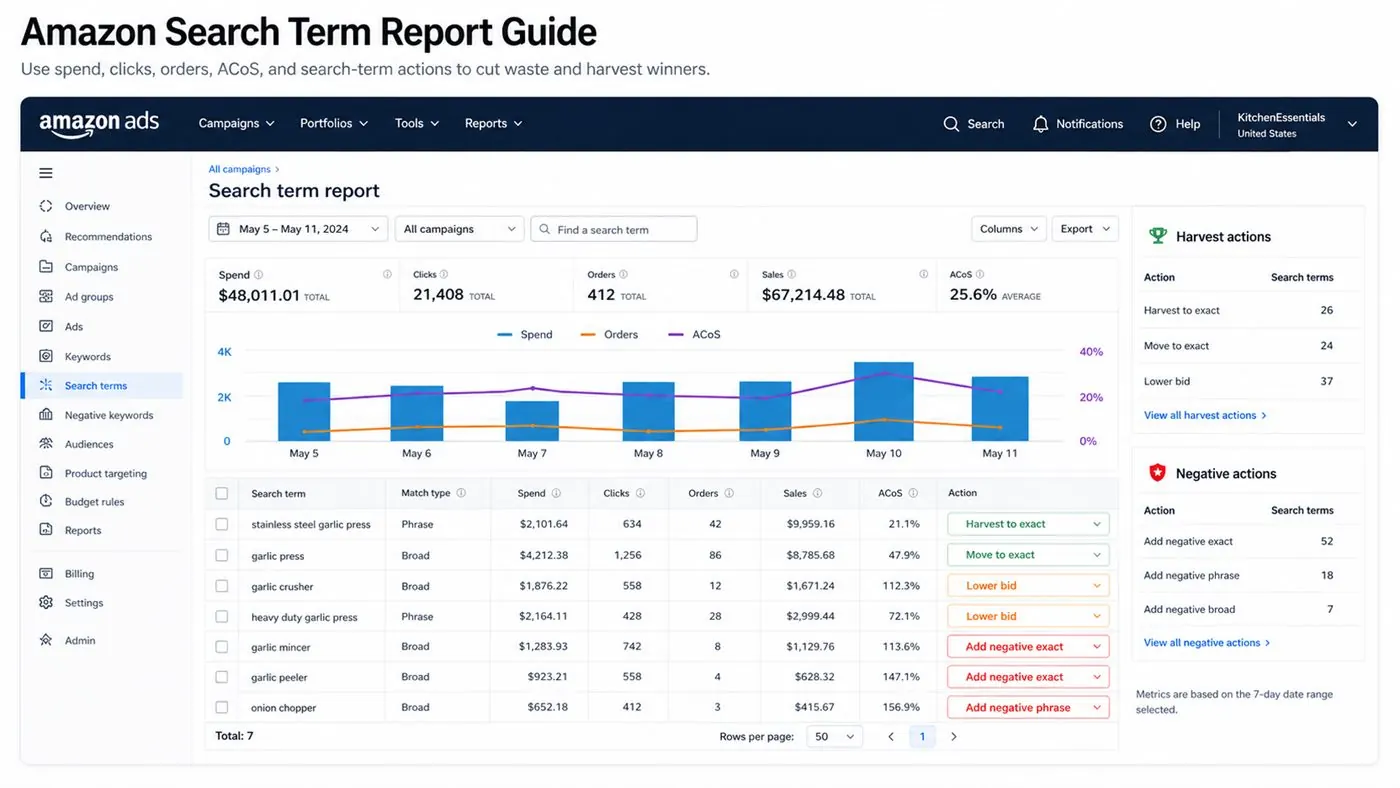
How to Read the Amazon Search Term Report: step-by-step method
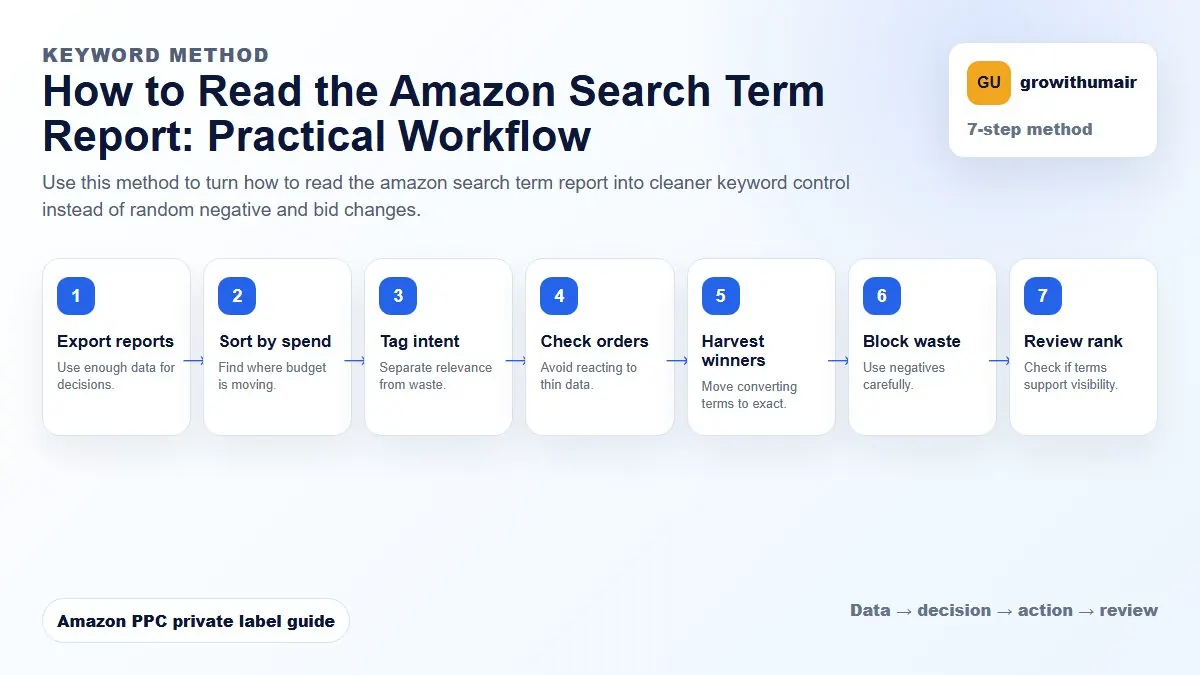
Use this method to turn how to read the amazon search term report into cleaner keyword control instead of random negative and bid changes. The aim is to move from raw Amazon Ads data to a written action list: what to protect, what to reduce, what to test, and what to review again.
- 1. Export reports: Use enough data for decisions.
- 2. Sort by spend: Find where budget is moving.
- 3. Tag intent: Separate relevance from waste.
- 4. Check orders: Avoid reacting to thin data.
- 5. Harvest winners: Move converting terms to exact.
- 6. Block waste: Use negatives carefully.
- 7. Review rank: Check if terms support visibility.
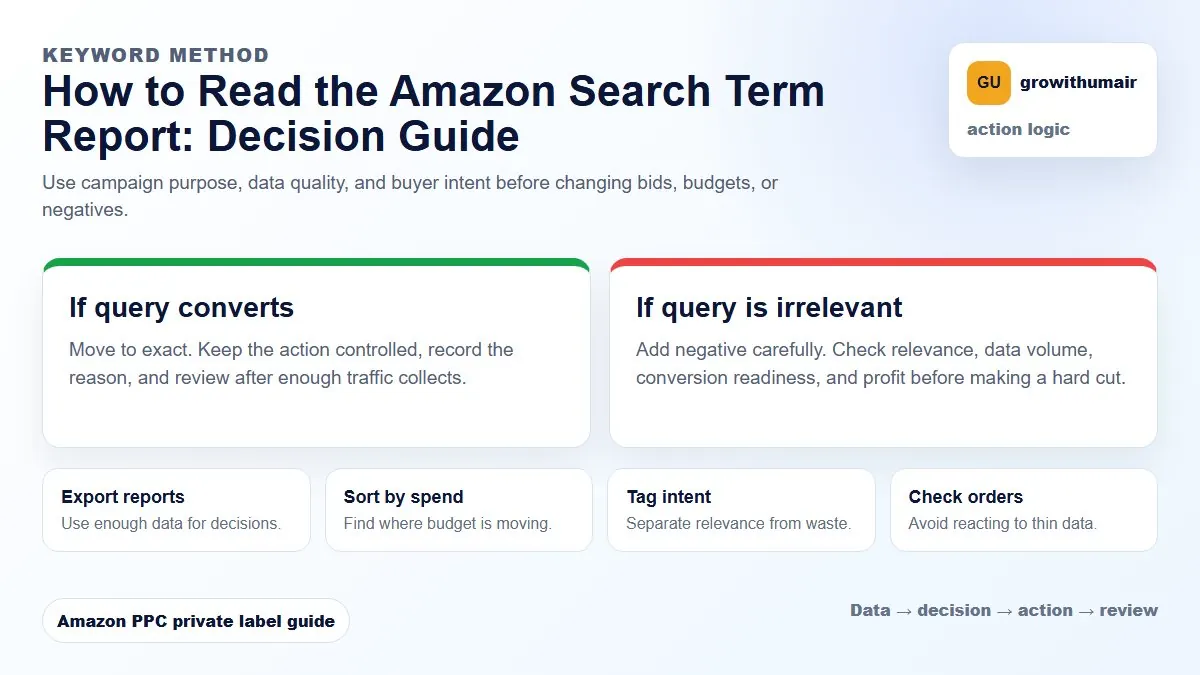
How to choose the next action
Do not treat one metric as the whole answer. For every change, read the metric beside campaign purpose, search intent, listing readiness, rank movement, and profit. This prevents cutting useful traffic just because one report looks uncomfortable.
5 common Search Term Report patterns and what they mean
- High impressions, zero clicks: the ad is showing but the offer is not attracting attention. Check main image, title relevance, price, and reviews.
- High clicks, zero orders: traffic is arriving but not converting. Review listing conversion, price, promise, and buyer intent.
- High spend, zero orders, irrelevant term: add a negative keyword instead of lowering all bids.
- One order on limited clicks: keep collecting data before making a hard decision.
- Consistent orders at healthy ACoS: harvest the term to exact match and give it cleaner budget control.
How to download and set up the report
In Amazon Seller Central, open Campaign Manager, go to Measurement and Reporting, choose Sponsored ads report, then select Search term report. Use a 30-day range for pattern recognition or 14 days for recent changes. Export the file and add calculated columns for ACoS, orders per click, and decision notes.
A simple decision column keeps the report useful: harvest to exact, add negative exact, add negative phrase, lower bid, keep collecting data, or review listing conversion. This turns a spreadsheet into a weekly action list.
Example decision framework
| Search term pattern | Likely issue | Action |
|---|---|---|
| 20+ clicks, zero orders, irrelevant | Wrong traffic | Add negative exact or phrase |
| 30+ clicks, orders, strong ACoS | Winner | Move to exact and monitor rank |
| Many impressions, low CTR | Weak click appeal | Review main image and title |
| Relevant term, high ACoS | CPC or conversion problem | Check placement, bid, and listing |
Amazon Search Term Report FAQ
What date range should I use for the Amazon Search Term Report?
Use 30 days for pattern recognition and 14 days for recent changes. Avoid judging most terms from less than 7 days unless spend is clearly irrelevant.
When should I harvest a search term to exact match?
Harvest a term when it has consistent orders, relevant intent, and enough click data to trust the conversion pattern. Move it to exact so bids and budget can be controlled separately.
When should I add a negative keyword?
Add a negative when the search term is irrelevant, repeatedly spends without orders, or sends traffic with the wrong buyer intent. Use negative exact first when unsure.
In Seller Central go to Reports > Advertising Reports > Search Term. Select at least a 14-day window. A 30-day window shows better patterns. Download as a spreadsheet and sort by spend first.
The five columns that matter most
The report has many columns, but five drive most decisions: Customer Search Term, Impressions, Clicks, Spend, and Orders. Add a calculated ACoS column (Spend divided by Orders times Average Selling Price) if your export does not include it.
| Column | What it tells you | Action trigger |
|---|---|---|
| Customer Search Term | The exact query that triggered your ad | Is this relevant to your product? |
| Impressions | How often your ad appeared for that term | High impressions, zero clicks = bid or relevance issue |
| Clicks | How many times shoppers clicked | High clicks, zero orders = listing or price problem |
| Spend | Total cost for that search term | High spend, no orders = negative keyword candidate |
| Orders | Purchases attributed to that term | Orders and low ACoS = harvest to exact campaign |
Keyword harvesting: moving winners to exact campaigns
When a search term generates orders at an acceptable ACoS and has enough click volume (typically 10 or more clicks), it is ready to harvest. Harvesting means adding it as an exact match keyword in a dedicated exact campaign where you can control the bid, budget, and placement independently.
Do not leave converting terms buried inside auto or broad campaigns indefinitely. In a mixed campaign, a profitable exact match term competes for budget against research terms. Moving it to a separate campaign gives it its own budget and cleaner reporting. This is a core part of good campaign structure.
Adding negatives: what to block and why
Not every zero-order search term should become a negative. Some terms need more data. Others are genuinely irrelevant. The difference matters because adding an overly aggressive negative can block terms that were close to converting or that support organic ranking signals.
Add a search term as a negative when: it has 15 or more clicks with zero orders and is clearly not relevant; it is a competitor brand name you are not intentionally targeting; or it is a variation that consistently attracts the wrong audience. Use phrase-level negatives in broad campaigns and exact negatives in exact campaigns to avoid over-blocking. Read the full negative keywords guide for the complete decision framework.
Reading patterns, not just individual terms
The most valuable insights come from patterns across the report. If 30 search terms containing the word "kids" all have zero orders on your adult product, that is a single negative phrase keyword that fixes all 30 at once. If terms containing a specific competitor name keep appearing, decide deliberately whether to target those or block them. Group search terms by theme: by product type, use case, competitor name, or irrelevant modifier. That grouping turns a 500-row spreadsheet into five action categories.
How often to run the report
Weekly is the right cadence for active campaigns. Monthly is the minimum for low-spend accounts. A campaign running £50 per day with 20% irrelevant spend is losing £10 daily — after 30 days that is £300 that could have been redirected to better keywords.
Run the search term report before you touch bids. The report often explains why ACoS is high before a bid change is needed. If spend is going to irrelevant terms, fixing negatives is more effective than lowering bids across the whole campaign. Use the PPC audit checklist to run a complete review alongside the search term data.
Connecting search term data to the wider account
After harvesting winners and blocking waste, check whether new exact keywords belong in your existing campaign structure, review whether ACoS improvement changes your bid decisions, and check TACoS to see if organic sales share is moving alongside PPC changes. The report is a diagnostic tool, not a to-do list. Use it to understand what shoppers actually want, then match your campaigns, listings, and bids to that reality.
Share your ASIN, marketplace, and current spend split. A focused review will identify which terms to cut and which to scale.
Book an audit