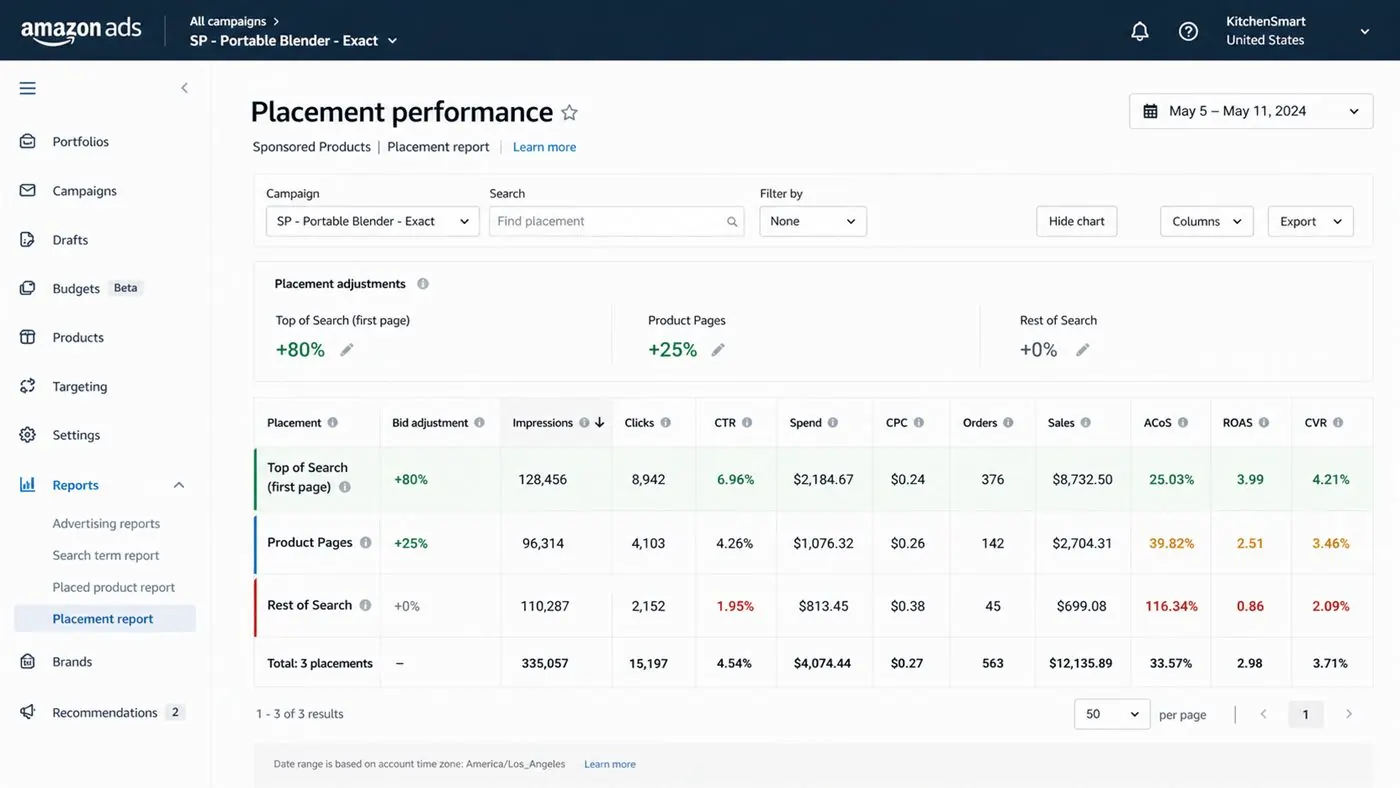
Amazon PPC Placement Optimization Guide: step-by-step method
Use this method to evaluate amazon ppc placement optimization guide by placement, audience, ASIN fit, campaign purpose, and conversion quality. The aim is to move from raw Amazon Ads data to a written action list: what to protect, what to reduce, what to test, and what to review again.
- 1. Define target: Know why the target exists.
- 2. Segment traffic: Do not blend all placements.
- 3. Compare CTR: Check shopper interest.
- 4. Compare CVR: Clicks must become orders.
- 5. Check ACoS: Read cost against purpose.
- 6. Adjust exposure: Change bids or modifiers.
- 7. Log results: Tie changes to outcomes.
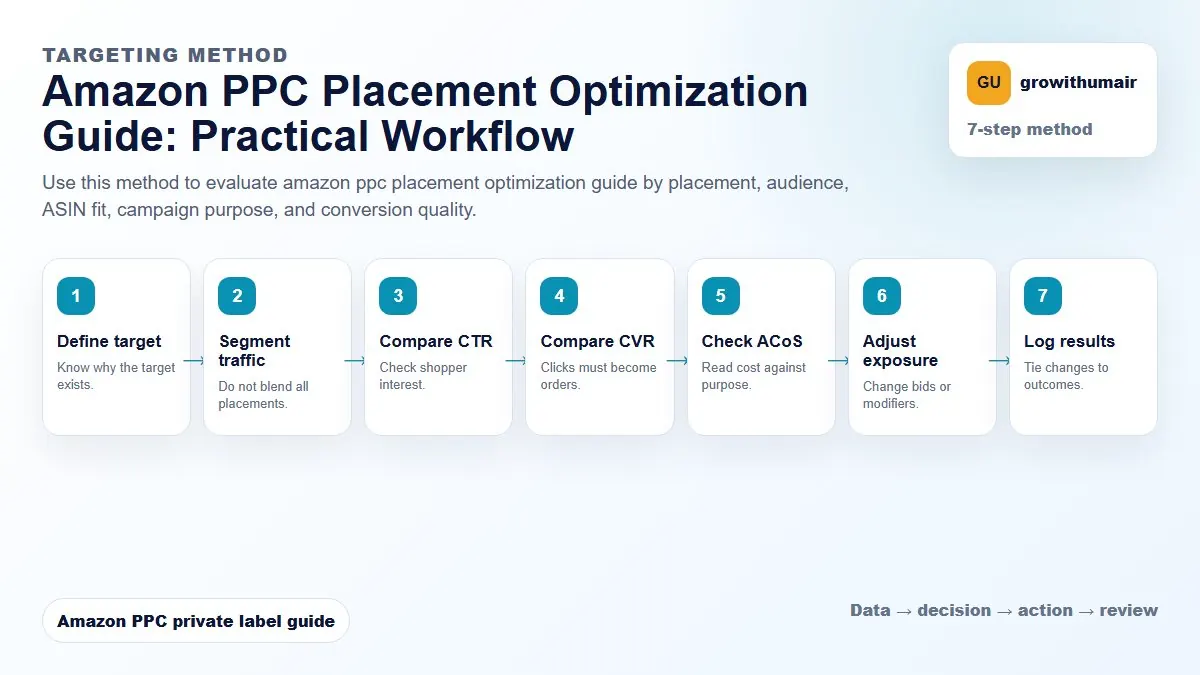
How to choose the next action
Do not treat one metric as the whole answer. For every change, read the metric beside campaign purpose, search intent, listing readiness, rank movement, and profit. This prevents cutting useful traffic just because one report looks uncomfortable.
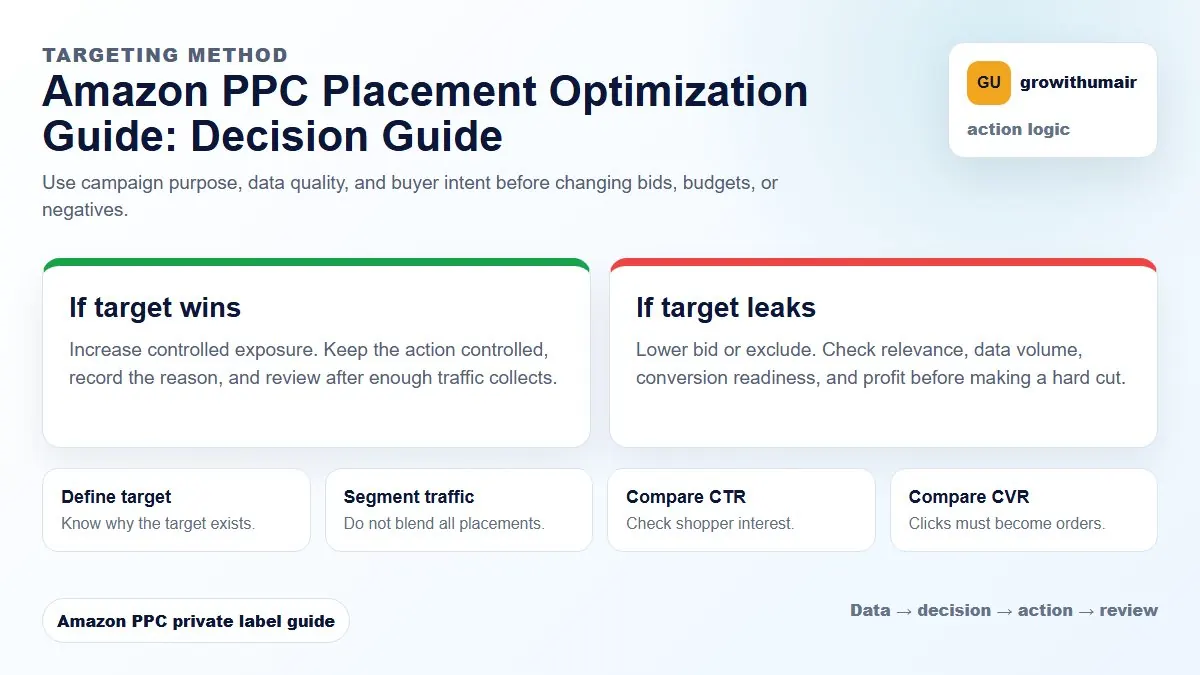
Increase a placement only when it converts better than the campaign average and the campaign has a clear purpose. A high Top of Search ACoS is not automatically bad for launch, but it is dangerous for mature profit campaigns.
What Amazon PPC placements mean
Amazon Sponsored Products placements are grouped into Top of Search, product pages, and rest of search. Top of Search is the premium search results area. Product pages show ads on detail pages. Rest of search covers other search result positions. Each placement can behave differently because shopper intent is different.
Top of Search often has stronger visibility and higher click-through rate, but it can become expensive. Product pages can be useful for competitor targeting, defensive ASINs, and comparison shopping. Rest of search can be cheaper, but sometimes produces weak conversion. You should judge each placement by spend, sales, conversion rate, ACoS, and rank purpose.
How to read the placement report
Open Campaign Manager, select a campaign, and review placement performance. Compare each placement against the campaign average. If Top of Search has 30% of spend and 60% of orders, it may deserve a stronger multiplier. If product pages spend heavily with no orders, the targeting may be too broad or the offer may be weak against competitors.
| Placement | Good sign | Risk sign | Likely action |
|---|---|---|---|
| Top of Search | Higher CVR and acceptable ACoS | High spend, few orders | Increase only for strong keywords |
| Product pages | Good orders from competitor or defensive traffic | Lots of clicks with poor CVR | Tighten ASIN targeting |
| Rest of search | Cheap sales at stable ACoS | Low CTR and weak orders | Lower bids or restructure |
Use placement multipliers by campaign purpose
A launch campaign may accept higher Top of Search spend if ranking is the goal. A profit campaign should protect margin first. A defensive campaign may need product page placement because you want to hold your own detail pages. This is why placement decisions should follow campaign structure, not emotion.
If one campaign contains research keywords, exact winners, product targeting, and branded defense, placement reports become messy. Split campaign purpose first, then evaluate placement. A clean exact campaign can use a multiplier with more confidence than a broad discovery campaign.
When to reduce placement spend
Reduce or remove a placement boost when ACoS is above target for two review windows, conversion rate is lower than the campaign average, or the placement is stealing budget from profitable traffic. Before lowering everything, check the search term report. Sometimes the problem is irrelevant search terms, not the placement itself.
Weekly placement checklist
- Sort campaigns by spend first.
- Check Top of Search spend, sales, ACoS, and conversion rate.
- Compare product page performance to the targeting type.
- Look for campaigns where one placement consumes budget but does not produce orders.
- Adjust multipliers only after checking search terms and listing quality.
Placement optimization works best when it is connected to bids, search terms, and listing conversion. If placement ACoS is high because the listing has weak images or unclear bullets, fixing bids alone will not solve the account. Use the listing optimization guide beside this placement review.
Send the campaign screenshot, marketplace, and your target ACoS. I will show which placements are worth protecting and which are leaking spend.
Book an audit