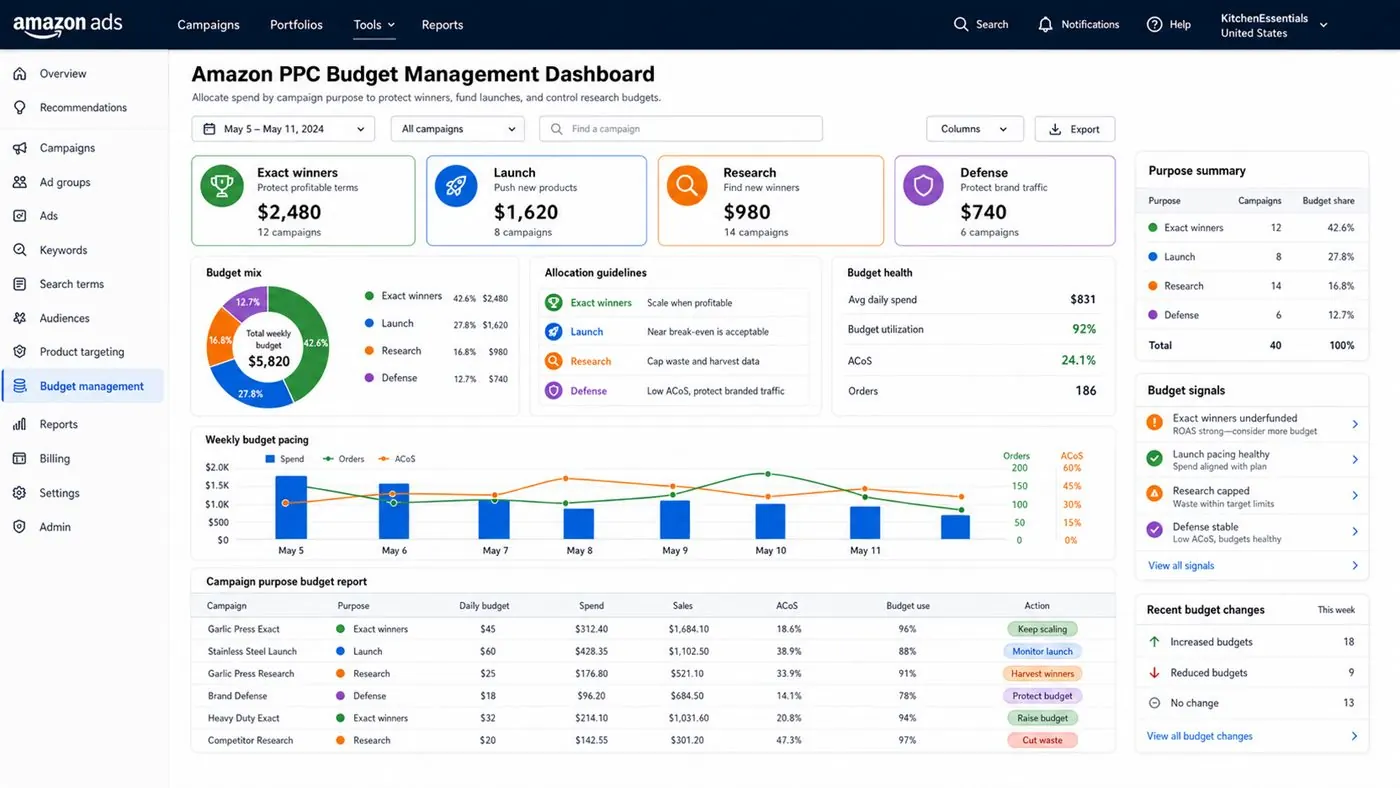
Amazon PPC Budget Management: step-by-step method
Use this method to make amazon ppc budget management easier to execute, report, audit, and improve every week. The aim is to move from raw Amazon Ads data to a written action list: what to protect, what to reduce, what to test, and what to review again.
- 1. Map purpose: Every campaign needs a job.
- 2. Group campaigns: Organize by product and role.
- 3. Set naming rules: Make reports easier to read.
- 4. Check budgets: Protect priority campaigns.
- 5. Review reports: Measure what changed.
- 6. Write actions: Make next steps clear.
- 7. Repeat weekly: Consistency beats random fixes.
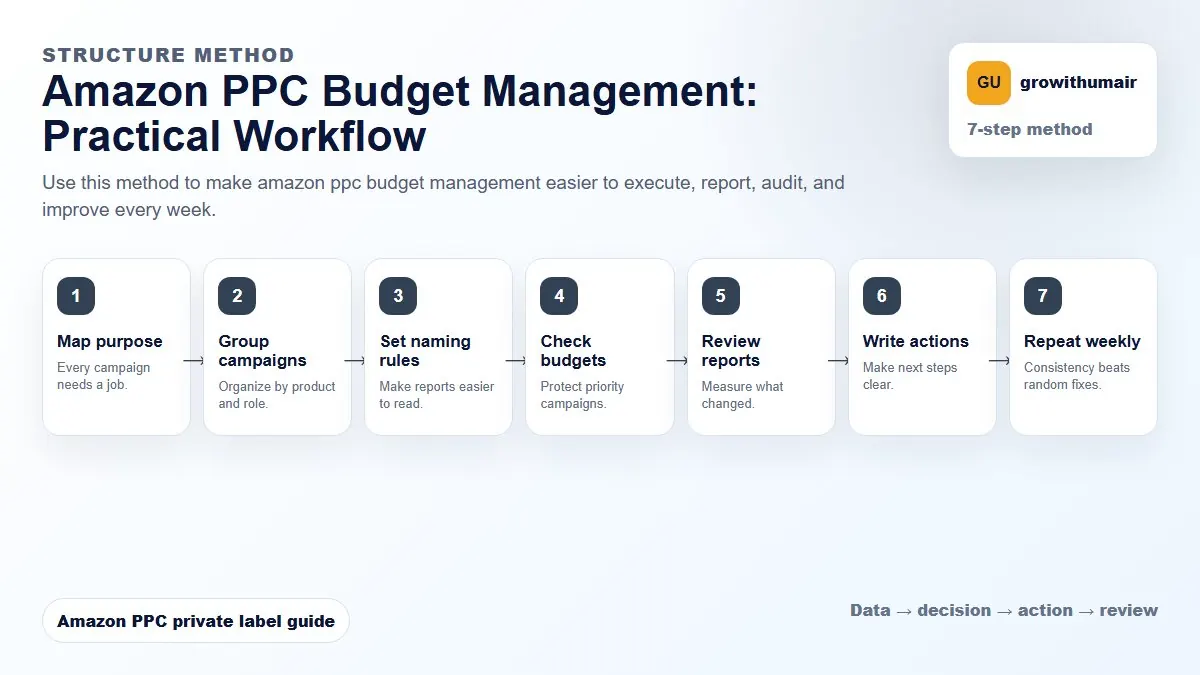
How to choose the next action
Do not treat one metric as the whole answer. For every change, read the metric beside campaign purpose, search intent, listing readiness, rank movement, and profit. This prevents cutting useful traffic just because one report looks uncomfortable.
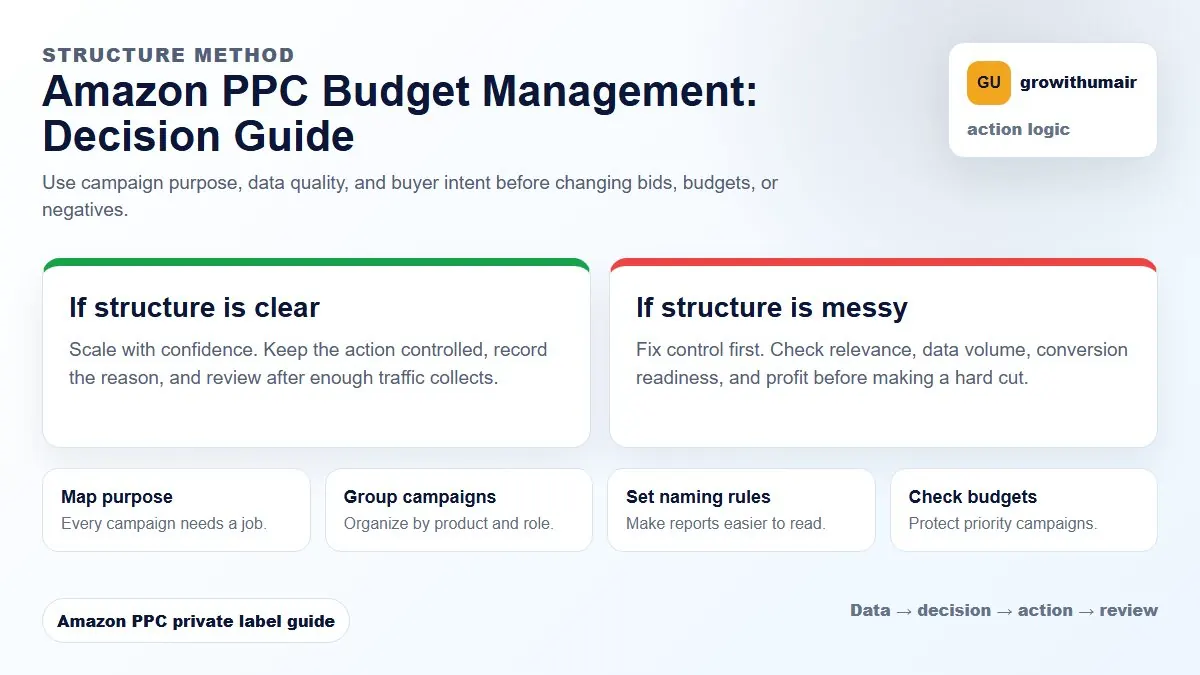
Budgets should reflect campaign purpose, not guesswork. Ranking campaigns need protected budgets. Research campaigns need flexible budgets. Defense campaigns usually need very little.
How Amazon daily budgets actually work
Amazon allows campaigns to spend up to 25% over their daily budget on any given day, compensating by spending less on other days within the month. This means a campaign set to £20 per day could spend £25 on a high-traffic day. Understanding this prevents confusion when spend looks inconsistent in daily reports.
If a campaign runs out of budget before the end of the day, ads stop showing. For ranking campaigns this matters enormously. Missing peak shopping hours because of a depleted budget directly affects impression share, click volume, and the sales velocity that drives organic rank. Budget exhaustion should be treated as a ranking problem, not just a spend control problem.
Allocating budget by campaign purpose
Not every campaign deserves the same budget priority. A research campaign that is still finding converting keywords should have a capped, controlled budget. A ranking campaign targeting your top three to five priority keywords should have a protected budget that does not compete with lower-priority campaigns.
| Campaign type | Budget priority | Rationale |
|---|---|---|
| Exact ranking campaigns | High — protected budget | Missing hours directly hurts rank and sales velocity |
| Auto research campaigns | Medium — capped budget | Research does not need unlimited spend; harvest and move on |
| Broad and phrase campaigns | Medium — reviewed weekly | Useful for exploration but should not dominate total spend |
| Brand defense campaigns | Low — minimal budget | Competition on branded terms is lower; small budget is sufficient |
| Competitor targeting campaigns | Medium — test and review | Conversion from competitor pages is variable; control spend closely |
How much total PPC budget is right for a product
There is no universal number, but a useful starting framework ties total daily PPC spend to the product's revenue target. If a product is generating £200 per day in total sales and your target TACoS is 15%, the total daily ad spend ceiling is £30. This does not mean all £30 should go into one campaign — it means the combined spend across all campaigns for that ASIN should stay within that envelope while ranking and organic sales are building.
Read the TACoS guide to understand how to use total sales, not just ad sales, as the frame for your budget decisions.
Budget rules and automated adjustments
Amazon offers budget rules that automatically increase your daily budget on high-traffic days such as Prime Day or holiday periods. These are worth using for campaigns that are consistently hitting their budget cap and converting well. However, they should not be used as a substitute for reviewing whether the underlying campaign is actually profitable. An inefficient campaign spending more on high-traffic days just wastes more money faster.
Signs your budget allocation needs fixing
Several patterns in campaign data signal a budget problem. If ranking campaigns consistently run out of budget before 3pm, the budget is too low for the traffic level. If research campaigns are consuming more than 30 to 40% of total PPC spend with low conversion, they are absorbing budget that should go to proven exact match terms. If brand defense campaigns are competing for budget with ranking campaigns, the structure and budget allocation need separating.
Use the PPC audit checklist to identify which campaigns are underperforming before shifting budget between them. Moving budget without fixing the underlying structure problems rarely improves results. Also review your campaign structure — budget problems are often structure problems in disguise.
Scaling budget when the account is ready
Budget scaling should follow conversion data, not ambition. When an exact ranking campaign is converting at an acceptable ACoS and organic rank is improving alongside it, a 20 to 30% budget increase is a reasonable test. Watch TACoS over the next 10 to 14 days. If total sales share improves and TACoS holds, the scaling is working. If TACoS rises without organic rank improvement, the additional budget is buying traffic that is not building the product's long-term position.
Share your current daily spend, campaign split, and ACoS by campaign type. A focused review will show where to reallocate and how much each campaign should receive.
Book an audit