Amazon Keyword Research for PPC: step-by-step method
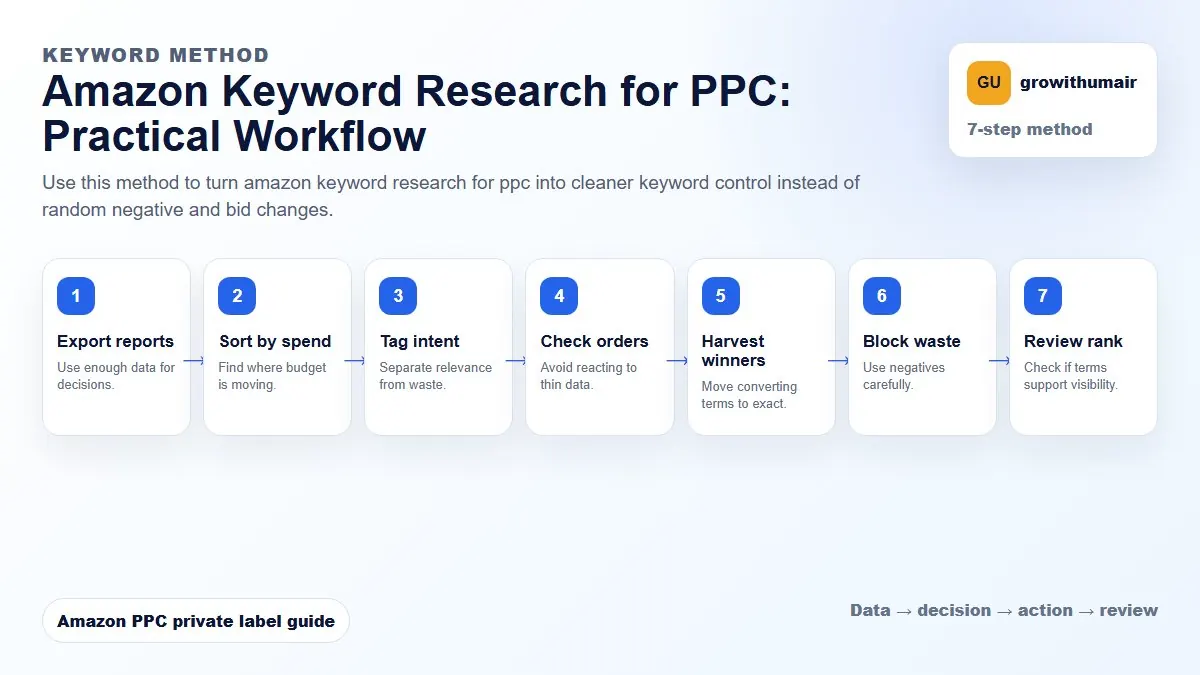
Use this method to turn amazon keyword research for ppc into cleaner keyword control instead of random negative and bid changes. The aim is to move from raw Amazon Ads data to a written action list: what to protect, what to reduce, what to test, and what to review again.
- 1. Export reports: Use enough data for decisions.
- 2. Sort by spend: Find where budget is moving.
- 3. Tag intent: Separate relevance from waste.
- 4. Check orders: Avoid reacting to thin data.
- 5. Harvest winners: Move converting terms to exact.
- 6. Block waste: Use negatives carefully.
- 7. Review rank: Check if terms support visibility.
How to choose the next action
Do not treat one metric as the whole answer. For every change, read the metric beside campaign purpose, search intent, listing readiness, rank movement, and profit. This prevents cutting useful traffic just because one report looks uncomfortable.
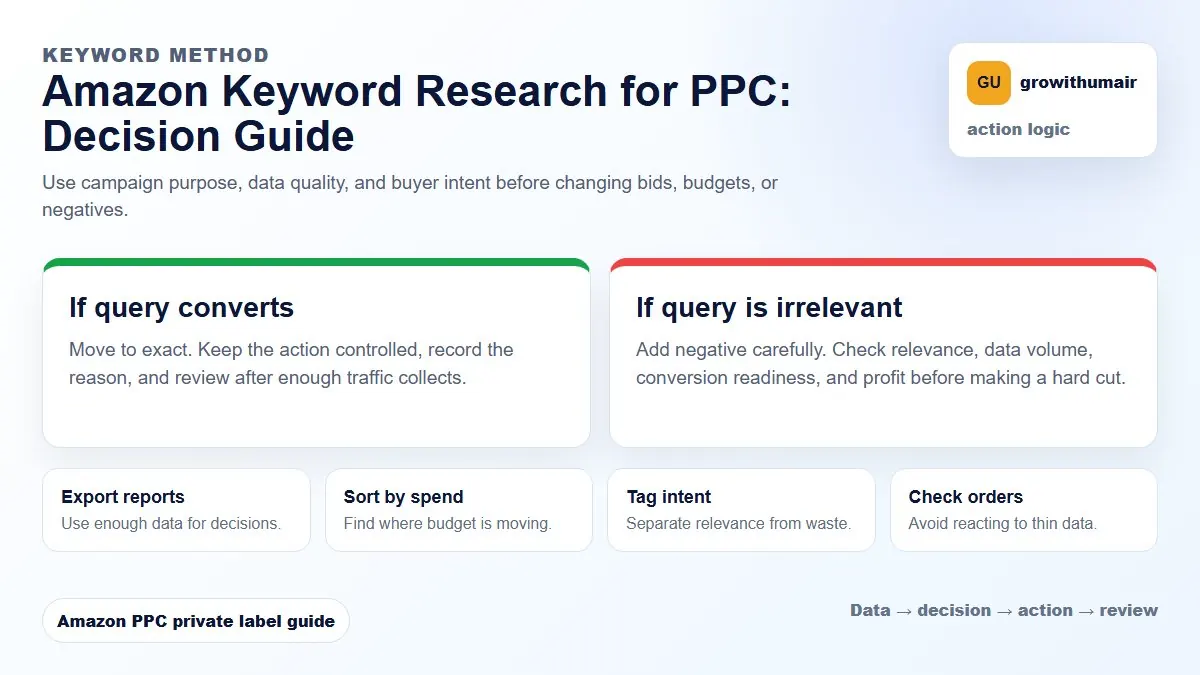
The goal is not a long list. It is a prioritised list of keywords sorted by relevance, search volume, and conversion potential for your specific product and margin structure.
Starting with seed keywords
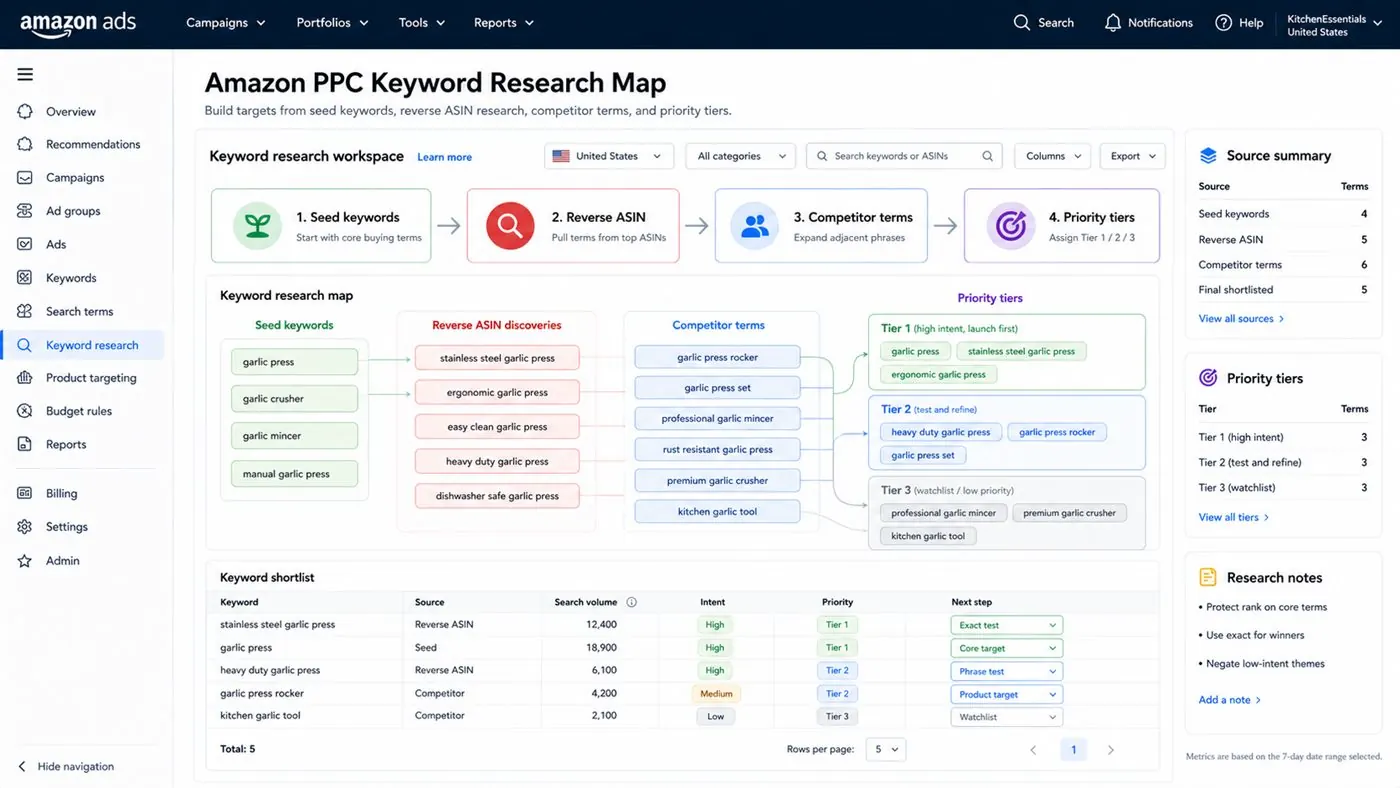
Seed keywords are the core terms that describe what your product is. For a silicone kitchen spatula the seed keywords might be: spatula, kitchen spatula, silicone spatula, cooking spatula, heat resistant spatula. These are the building blocks. From each seed, Amazon Suggest, competitor listings, and keyword tools generate hundreds of related variations.
Start by typing each seed keyword into the Amazon search bar and noting the auto-suggested completions. These suggestions are drawn from real search behaviour on the platform, which makes them more reliable than generic keyword volume data for Amazon specifically. The completions show what shoppers actually add to the core term: by material, by use case, by size, by recipient (as a gift), by concern (safe, non-toxic), by brand comparison.
Reverse ASIN research: learning from competitor keywords
Reverse ASIN research uses a tool (Helium 10 Cerebro, Jungle Scout Keyword Scout, or similar) to find the keywords that a specific competitor ASIN ranks for organically and sponsors. This is one of the fastest ways to find validated keywords because you are not guessing — you are finding terms that Amazon has already connected to products like yours.
Choose three to five direct competitors: similar price range, similar review count, strong BSR. Extract the keywords they rank for on page one organically. These are the terms worth prioritising in your exact campaigns because they have proven demand and your product is directly comparable. Cross-reference the list with your own listing — any keyword a competitor ranks for organically that is not in your title, bullets, or backend is a relevance gap that needs fixing in the listing before spending heavily on that term.
Using auto campaigns to harvest real search data
Auto campaigns are the most underused keyword research tool available. When you run an auto campaign for two to four weeks with a controlled budget, Amazon tests your listing against a wide range of search queries. The search term report from that campaign is a live record of what real shoppers searched before clicking your ad. This data is specific to your listing, your price point, and your category — not drawn from a general database.
The harvesting process: after two to four weeks, run the search term report, filter for terms with 10 or more clicks and at least one order, and move those to an exact campaign. This converts research data into a confirmed keyword list. Terms with high clicks but no orders go through a relevance check before being negated.
Organising keywords by type and priority
Once you have a keyword list, sort it before building campaigns. A practical framework uses three tiers:
| Keyword tier | Definition | Campaign home |
|---|---|---|
| Priority ranking keywords | High relevance, high search volume, direct product match | Exact ranking campaigns with protected budget |
| Supporting keywords | Medium relevance, specific use cases, long-tail variations | Phrase or exact campaigns with shared budgets |
| Research keywords | Unproven relevance, new variations, competitor terms | Broad or auto campaigns with capped budget |
Priority ranking keywords should go into your exact ranking campaigns immediately. Supporting keywords can start in phrase match and graduate to exact once they generate conversion data. Research keywords belong in auto or broad campaigns where Amazon can test them without committing full bids.
Keyword indexing: confirming your listing is eligible to rank
Before spending on a keyword, confirm your listing is indexed for it. An unindexed keyword will not convert because Amazon does not connect it to your product. The quickest check is to search Amazon for your ASIN alongside the keyword: ASIN B0XXXXXXXX + keyword. If your product appears, it is indexed. If not, the keyword needs to be added to your listing title, bullets, or backend search terms before spending on it.
Indexing issues are one of the most common reasons a keyword spends without converting. Review the listing optimisation guide to make sure high-priority keywords are placed correctly before campaigns go live.
How many keywords to start with
More keywords is not better. A focused list of 20 to 40 well-validated keywords in properly structured campaigns outperforms a 200-keyword account with no structural logic. Start narrow, build data, and expand based on conversion evidence. The ACoS calculator will help you understand which keywords are actually profitable once data starts coming in, so you know which ones to scale and which to remove.
Share your ASIN, marketplace, and current campaign structure. A focused keyword and listing review will identify the gaps and prioritise what to target first.
Book an audit